

DigiYatra for Kids and Minors: Complete Rules & Step-by-Step Registration Guide

Terminal congestion at major Indian airports often turns family travel into an exhausting series of security queues and documentation checks. While facial recognition technology has successfully accelerated airport entry for solo business travelers, the application of these digital identity tools to younger passengers remains a source of frequent confusion. Understanding the specific application of digiyatra for kids is now an essential element of modern trip preparation. This paper details the official procedures, systemic restrictions, and registration pathways designed to help families use paperless transit systems without encountering operational delays at the boarding gates.
Key Takeaways
- Age Restrictions: DigiYatra is only available for children aged 5 and above. Infants under 5 must use manual verification gates.
- Aadhaar Requirement: A valid Aadhaar card is mandatory for registering minors on the platform; passports or other IDs are not accepted.
- Parental Account Linkage: Children cannot have standalone profiles and must be linked to a registered guardian’s active profile.
- Data Security: Child biometric data is stored locally on the parent’s device and automatically purged from airport systems 24 hours post-flight.
- Boarding Gate Protocol: Always have physical backup documents handy (birth certificate or physical Aadhaar) in case of facial recognition mismatches.
Understanding DigiYatra for Kids and Minors
DigiYatra is a biometric boarding system based on Facial Recognition Technology (FRT). It was designed to create a paperless transit experience at domestic terminals across India. Its basically a localized digital identity platform that links a passenger’s boarding pass with their Aadhaar-verified facial biometrics. While the system operates efficiently for adult travelers, implementing digiyatra for kids requires special procedural pathways. This is due to the evolving facial structures of younger children and legal protections surrounding minor biometrics.
The platform operates under guidelines issued by the Ministry of Civil Aviation. To maintain a secure environment, several operational parameters define how minors interact with the system:
- No Standalone Profiles: The digital profile of a minor cannot exist independently in the same manner as an adult profile.
- Optional Convenience: Parents must understand that digiyatra for kids is not a mandatory system, but an optional convenience.
- Reduced Friction: For families planning domestic journeys, combining biometric transit with travel arrangements like secure domestic tour packages substantially reduces terminal delays.
The platform utilizes decentralized storage. Passenger credentials, including those of minors, are stored on the parent’s smartphone rather than a central database. Security protocols dictate that this data is purged from airport systems within twenty-four hours of flight completion. When evaluating digiyatra for kids, parents often express concern regarding data privacy. But still, the architectural design ensures biometric information remains encrypted and under the parent’s control. This decentralized approach clarifies why registration steps differ from standard adult enrollments.
Detailed Age Categories and Eligibility Criteria
Biometric transit rules are strictly segmented by age to accommodate physical growth patterns and documentation availability.
| Age Group | DigiYatra Eligibility | Required Documents | Verification Process |
|---|---|---|---|
| Under 5 Years (Infants) | Not Eligible (FRT restrictions) | Physical Birth Certificate, Passport, or Aadhaar | Manual entry at adjacent security gates |
| 5 to 18 Years (Minors) | Fully Eligible | Aadhaar Card linked to active mobile number | Biometric e-gate verification via parent’s linked profile |
Regulations for Infants Under 5 Years
For very young travelers, the setup is fundamentally different. Under the current framework, digiyatra for kids is not available for infants under five years of age. This restriction is based on the technical limitations of Facial Recognition Technology (FRT) in identifying rapidly changing facial features. The facial characteristics of infants alter too quickly for biometric algorithms to maintain a baseline. The Unique Identification Authority of India (UIDAI) does not require biometric updates for children under five.
Consequently, utilizing digiyatra for kids is not possible for infants. Parents must present physical boarding passes and identity proof at manual verification desks. Standard procedures of digiyatra for kids state that guardians can use biometric lanes but must present infant documents to security manually. This hybrid approach ensures families are not excluded from accelerated terminal access. It is basically a practical compromise between digital automation and physical security. The specific digiyatra rules for infants require manual gate clearance at Indian terminals.
Rules for Children Between 5 and 18 Years
Children within this age bracket are fully eligible for biometric processing. However, the operational framework of digiyatra for kids applies differently to minors than to adult passengers. Since minors do not always possess independent mobile numbers linked to Aadhaar, the system requires a linked registration model. Using digiyatra for kids speeds up terminal entry for school-aged children, provided parents execute the pairing process correctly.
As far as current data suggests, children over five years must have an active Aadhaar card to use the platform. Registration cannot be completed using passports or non-Aadhaar identification for this category. This reliance on Aadhaar ensures biometric verification is backed by India’s central identity infrastructure. For teenagers with personal mobile phones, setup is more straightforward, though parental consent remains required under digital safety regulations.
The Official DigiYatra Rules for Infants
Travelling with infants requires a clear understanding of the specific regulations governing digital airport entry. The current guidelines of digiyatra for kids require that any child under five years of age be processed through manual gates. Parents should not attempt to register an infant on the mobile application, as the system will reject the Aadhaar verification or fail during the live photo capture phase. The digiyatra rules for infants are designed to prevent systemic errors at the boarding gates.
At the airport terminal, the guardian must follow a specific sequence to ensure a smooth transition through security. Although digiyatra for kids simplifies the journey for older family members, the infant’s clearance relies on manual boarding pass scanners. The following procedures must be observed when travelling with children under five:
- Manual Verification: Infants must be accompanied by a guardian with a valid boarding pass. Security personnel manually cross-verify identity against physical tickets.
- Identity Proof: Parents must carry physical birth certificates, passports, or Aadhaar cards. Digital copies on DigiLocker are acceptable, but physical documents are safer.
- Gate Protocol: Parents scan their DigiYatra QR code at the e-gate, then immediately present the infant’s documents to the security officer nearby.
- Boarding Passes: Unlike older passengers utilizing digital tokens, infants require printed boarding passes or legible PDFs on a mobile device.
This manual intervention does not heavily delay the boarding process if the parents are well-prepared. It is basically a quick check to confirm that the infant is travelling with their legal guardian. A standard report by the Ministry of Civil Aviation in January 2026 recorded that domestic terminals handling high family traffic have optimized these adjacent manual gates to prevent bottlenecks. Thus, families can still complete their terminal entry faster than through traditional queues. The manual process takes roughly two minutes, depending on the passenger volume at that specific hour.
Step-by-Step DigiYatra Registration for Minors
For minors above the age of five, the registration process must be completed prior to arriving at the airport terminal. Attempting to configure the profile at the airport can lead to delays, especially if mobile network congestion occurs.
Prerequisites Before Starting the Process
Before initiating the configuration, parents must gather all necessary credentials. The process of digiyatra for kids demands precise data alignment to prevent system rejection. The following prerequisites must be met before starting the online setup:
- A valid Aadhaar card for the minor, with updated biometric data. This is especially true since the Unique Identification Authority of India mandates biometric updates for children at age five and age fifteen.
- A mobile number that can receive One-Time Passwords (OTPs) from the Aadhaar system (this can be the parent’s registered mobile number).
- The latest version of the DigiYatra application installed on a smartphone.
- A clear, well-lit environment for taking a live photograph of the child during the registration process.
It is critical that the name on the minor’s flight booking matches the name on their Aadhaar card exactly. Even minor spelling variations can cause the system to reject the boarding pass during validation.
Detailed Registration Walkthrough on the App
Before attempting the setup, reviewing the guidelines for digiyatra registration for minors is highly recommended. To begin the digiyatra registration for minors, the guardian must open the application on their smartphone. The app allows the creation of multiple profiles on a single device, making it easier for families to travel together. Finding the option for digi yatra for child profile creation is simple once the primary parent account is active. Follow these steps to complete the digi yatra child registration online:
- Open the App: Launch the application on the parent’s smartphone and authenticate.
- Access Household Settings: Tap ‘Household’ or ‘Add Member’ in the profile settings.
- Enter Aadhaar: Input the minor’s Aadhaar number. The system sends an OTP to the linked mobile number.
- Validate OTP: Enter this OTP to verify the child’s identity details.
- Capture Photograph: Take a live image. Ensure the child looks directly at the camera with a neutral expression.
- Finalize Setup: Once biometric validation completes, the profile is activated.
Completing the digiyatra for kids online registration ensures that the child’s face is linked to their digital identity token. The interface for digiyatra for kids provides a simple, wizard-based setup that guides users through each screen. Once this setup is finalized, the child’s profile is ready for boarding pass integration.
Linking the Minor Profile to a Parent Account
A crucial step in digiyatra for kids is linking the child’s newly created profile to the guardian’s active profile. This linking mechanism is a vital security feature. It prevents minors from being registered or processed without an authorized adult accompanying them.
To link the profiles, the parent must add the child as a companion under their own travel profile. When booking a flight, the tickets of both the parent and the minor should ideally be under the same Passenger Name Record (PNR). This allows the system to recognize them as a family unit automatically. When the parent uploads their boarding pass to the app, the system will prompt them to upload the companion’s boarding pass as well. The security protocols of digiyatra for kids prevent independent boarding tokens for minors under twelve years of age, ensuring they must always pass through security checkpoints with their registered guardian.
Airport Boarding Gate Procedures for Families
Once the digital registration is complete, moving through the airport terminal becomes considerably faster. However, parents should understand the exact physical sequence at the airport to avoid confusion.
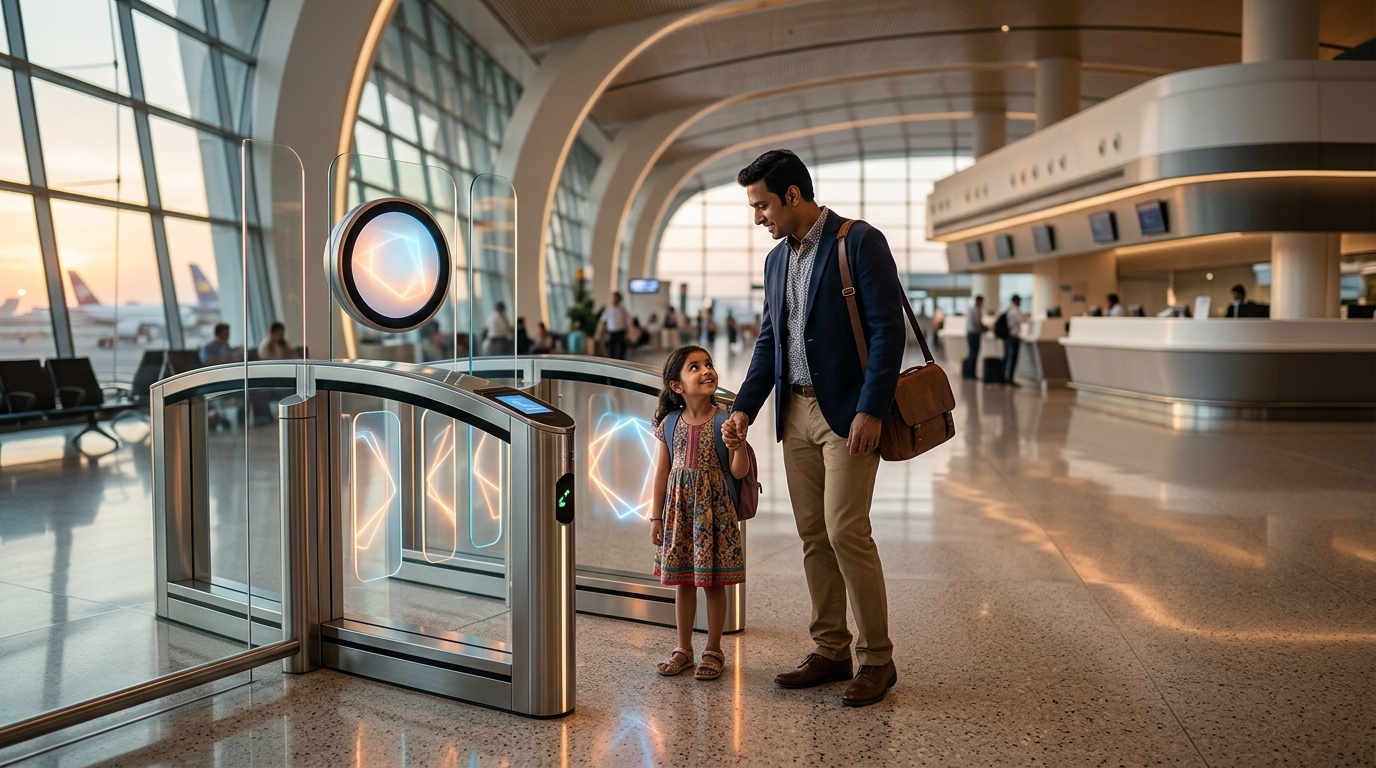
When arriving at the departure gate, families utilizing digiyatra for kids must proceed to the dedicated biometric lanes. These lanes are clearly marked with blue DigiYatra branding. The parent must approach the e-gate scanner first. The parent scans their own barcode or boarding pass on the scanner, looks into the camera, and waits for facial verification. Once the gate validates the parent, the system will recognize the linked minor profile, allowing the transaction to proceed without delay.
The child must then step forward onto the designated floor marker. The camera will capture the child’s face and match it with the digital token generated during the digi yatra child registration online process. If the verification is successful, the e-gate will open, allowing both the parent and the child to pass through. Staff managing digiyatra for kids gates are trained to assist families who might experience synchronization delays. It is important to move through the gate promptly once it opens, as the barriers are timed to close automatically after a short interval.
At the airport terminal, the following operational sequence must be followed by families:
- Locate DigiYatra Lanes: Identify and proceed to the dedicated biometric lanes, marked with blue branding.
- Parent Scans First: The parent approaches the e-gate scanner, scans their barcode, and undergoes facial verification.
- Child Steps Forward: Once the parent is validated, the child steps onto the designated floor marker for their facial scan.
- E-Gate Opens: After a successful match with the child’s digital token, the e-gate barriers open for both to pass.
How Minors Differ from Adult DigiYatra Users
While the core technology remains the same, the administrative rules for minors differ substantially from those governing adult passengers. Understanding these distinctions is crucial for preventing registration errors.
Adults can maintain completely independent DigiYatra accounts, link their profiles to unique mobile numbers, and travel solo. Conversely, the functional scope of digiyatra for kids restricts minors from traveling independently under the biometric system. The infrastructure behind digiyatra for kids utilizes guardian-supervised validation to maintain strict child safety standards. Setting up a dedicated digi yatra for child registration ensures a smoother journey.
The following table highlights the essential operational differences between adult users and minor users under the DigiYatra framework:
| Feature / Operational Rule | Adult Passengers (18+ Years) | Minor Passengers (5 to 18 Years) |
|---|---|---|
| Account Independence | Can maintain a standalone account and register independently. | Must be registered under or linked to a parent’s account. |
| Primary Identification Document | Can use Aadhaar, Passport, or Voter ID for verification. | Must use an Aadhaar card for online biometric verification. |
| Mobile Number Requirement | Requires a unique mobile number linked to Aadhaar. | Can use the parent’s registered mobile number for verification. |
| Solo Travel Clearance | Permitted to pass through biometric gates independently. | Must be accompanied by a registered adult at all gates. |
| Biometric Lifetime | No regular updates required unless significant physical changes occur. | Requires mandatory biometric updates at age 5 and 15 via UIDAI. |
These structural differences ensure that child identity data is handled with the highest level of security. For families traveling on domestic routes, combining this organized transit process with professional travel services, such as those found on TravelDham, creates an exceptionally smooth journey. By understanding these distinctions, parents can prepare their documentation correctly before arriving at the departure terminal.
Troubleshooting Registration and Gate Failures
Even with careful preparation, errors during digiyatra for kids registration can occur.
Resolving Mismatched Mobile and Aadhaar Details
A common hurdle during the setup is the mismatch of mobile numbers. If the parent’s mobile phone is not registered with the minor’s Aadhaar card, the verification OTP will be sent to the old number, halting progress. To resolve this, parents must visit an Aadhaar Seva Kendra to update the contact details. Troubleshooting digiyatra for kids mobile connectivity issues requires verifying that the primary phone has active international or national roaming, as OTP delays are common in crowded airport environments.
To fix mobile or Aadhaar mismatch errors, follow these steps:
- Update Contact Details: Visit a local Aadhaar Seva Kendra to update the contact mobile number linked to the child’s Aadhaar profile.
- Verify Connectivity: Ensure your primary mobile device has active network coverage and roaming enabled to prevent OTP delivery delays.
- Synchronize Names: Confirm that the name on your flight ticket matches the Aadhaar name spelling exactly to pass the back-end automated validation checks.
Handling Facial Verification System Errors
Another issue is camera calibration at the terminal gate. Camera calibration for digiyatra for kids can fail if the child is too short to reach the standard camera angle, or if they do not stand still. In such cases, parents should ask the gate assistant to manually tilt the camera downward. If the facial verification fails repeatedly, the guardian must immediately switch to the manual clearance lane to avoid blocking other passengers. The airport staff can instantly verify the child’s physical documents and boarding pass.

Conclusion
The transition to a paperless transit framework at Indian airports noticeably improves family travel efficiency. Setting up digiyatra for kids before departure ensures that terminal transit is straightforward and free from administrative hurdles. While technical limitations restrict the platform’s usage for infants, school-aged children stand to benefit enormously from these modern digital lanes. By securing proper Aadhaar updates, linking household profiles within the application, and carrying physical backup documentation, families can easily transition from arrival curbside to the departure gate with confidence.