

UK Visa Document Upload at VFS Global: A Step-by-Step Guide to Self-Upload vs VFS Scanning Service

The process of securing a visa for the United Kingdom demands meticulous preparation and strict adherence to administrative protocols. Historically, applicants submitted physical stacks of paperwork at visa application centres, which often resulted in long waiting times and misplaced sheets. Today, the modern uk visa document upload vfs process is now fully digitised, allowing travellers to submit their evidence electronically. This transition provides greater autonomy, yet it introduces new digital responsibilities. Applicants must now choose between self-uploading their files online or paying for the professional scanning services offered at the physical visa application centre. Making the right decision depends heavily on individual technical competence, budget constraints, and the urgency of the travel timeline. Through this detailed examination, prospective travellers will understand the precise operational workflows of both methods to ensure a flawless application.
- Free vs. Paid Option: Self-uploading via the VFS portal is completely free of charge, while the VFS scanning service at the application centre incurs an additional service fee.
- Strict 24-Hour Deadline: Self-uploading must be fully completed and submitted at least 24 hours prior to your scheduled biometrics appointment.
- File Specifications: All uploaded files must be in PDF format, unencrypted, under 5MB in size, and scanned at a resolution between 150 DPI and 300 DPI.
- Original Documents: Even if you choose the self-upload pathway, you must carry your physical original passport and appointment confirmation letter to the VFS centre.
- Irreversible Submission: Once you click the final submit button on the digital portal, your uploads are locked and cannot be edited, added, or deleted.
Understanding the UK Visa Document Upload Process at VFS Global
To secure a UK entry clearance, applicants must verify their identity, financial stability, and travel intent. Initiating the uk visa document upload vfs system requires a clear understanding of how the UK Decision Making Centre (DMC) reviews applications. The British government delegates the physical collection of biometric data and documents to external partners, primarily VFS Global. This organisational setup means that while UK Visas and Immigration (UKVI) evaluates your eligibility, VFS Global acts as the administrative portal.
When using the uk visa document upload vfs portal, you must convert physical certificates, bank statements, and employment letters into clean, compliant digital records. The digital transition ensures that visa officers in the United Kingdom can instantly access your file, which reduces overall processing times. It is basically a structured digital filing cabinet where every uploaded paper must correspond to a specific category. Failure to align your files with the corresponding categories can lead to administrative delays or, in worst-case scenarios, an outright refusal. Therefore, systematic organisation must be your highest priority before booking a biometric appointment.
“An organised visa application is a successful visa application. The transparency of your digital documentation directly influences the speed of your decision.”
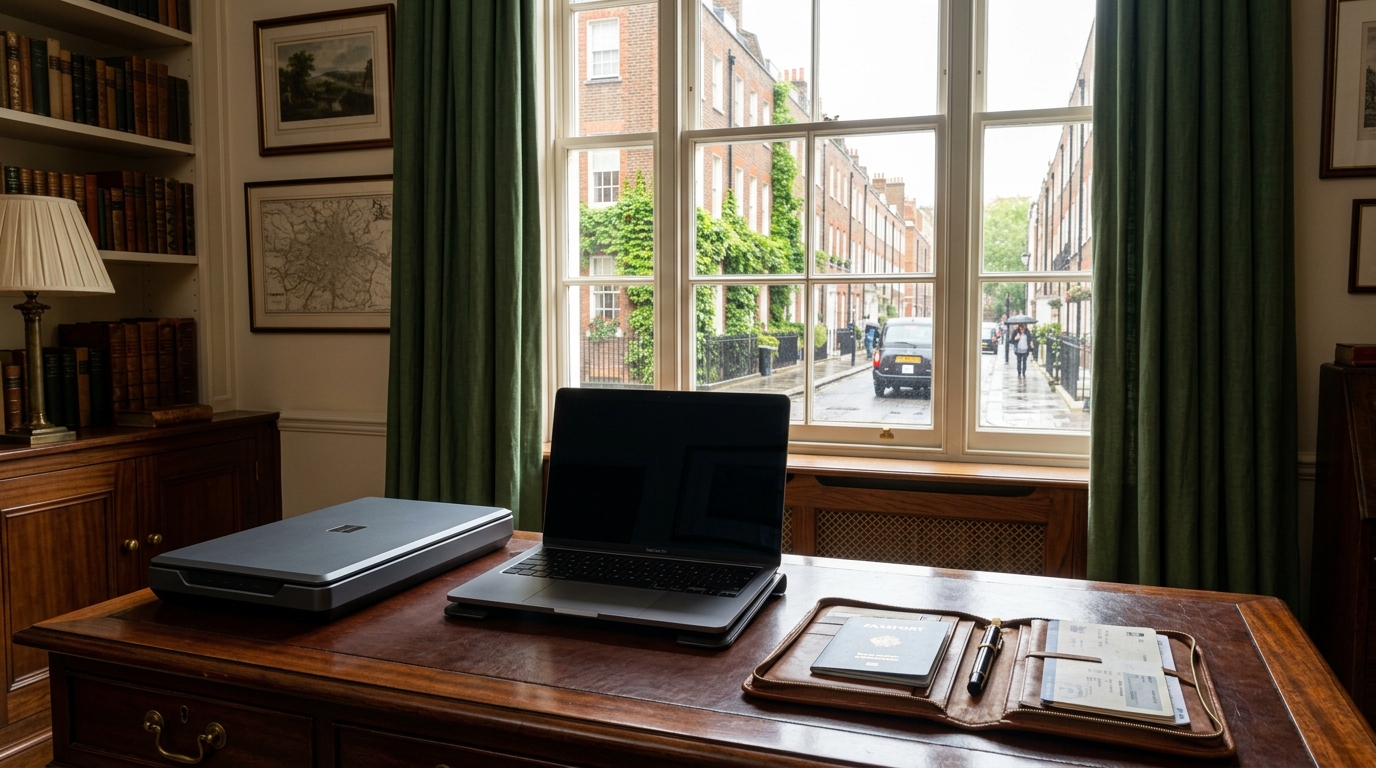
Self-Upload vs. VFS Scanning Service: Key Differences
Deciding whether to upload files independently or utilise the in-person scanning service is a critical decision. Most applicants opt for the uk visa document upload vfs self-upload pathway because it is completely free of charge. This option allows you to manage the upload timeline from the comfort of your office or home. You retain absolute control over how each document is scanned, named, and filed. But still, this freedom comes with significant personal responsibility. If a file is illegible, corrupted, or missing, the visa officer may make a decision based solely on the incomplete evidence provided.
The official uk visa document upload vfs guidelines state that the alternative option, the VFS assisted scanning service, shifts the technical burden to VFS personnel. For a designated fee, trained staff will scan your physical paperwork during your biometric appointment. This method is highly suited for individuals who do not possess a reliable scanner or find digital portal usage complex. However, it does require you to carry your physical UK visa document checklist and all original documents to the centre. It also introduces potential wait times at the visa application centre, as staff must manually handle each page.
| Feature / Parameter | Self-Upload Pathway | VFS Assisted Scanning Service |
|---|---|---|
| Cost | Free of charge (included in standard visa fee) | Additional service fee (approx. INR 2,500 / GBP 25) |
| Submission Deadline | Strictly up to 24 hours before your biometric appointment | During your in-person biometric appointment |
| Required Equipment | Computer, stable internet, flatbed scanner or scanning app | Only physical documents and the printed UKVI checklist |
| Document Control | Full personal control over document quality and naming | Handled completely by the VFS front-desk scanning officer |
| Technical Support | Self-managed; applicant resolves portal upload errors | VFS staff ensures files are formatted and uploaded correctly |
Option 1: The Self-Upload Pathway
The self-upload method represents the modern standard for global visa processing. Under this framework, you can upload documents at any hour of the day up to 24 hours before your biometric appointment. This flexibility allows you to acquire late-issued documents, such as updated bank statements, and add them to your portal without incurring extra costs. When executing the uk visa document upload vfs independently, you have the flexibility to verify every single file. To finalize your uk visa document upload vfs submissions, you simply need the following:
- A computer or laptop with a modern, compatible web browser.
- A stable and secure internet connection to avoid session timeouts.
- A flatbed scanner or a high-quality mobile scanning application.
- Clean, unencrypted PDF copies of your supporting documents.
The VFS Global self-upload interface is highly reliable, provided you strictly observe the file format and size limitations. If you prefer to verify your work multiple times before submission, this independent method is undoubtedly the ideal choice.
Option 2: The VFS Assisted Scanning Service
For those who prefer a traditional, assisted approach, the alternative to the online uk visa document upload vfs is the in-person scanning service. Under this model, you pay the VFS scanning service fee and hand over your physical documents to a submission officer. For applicants who choose to bypass the online uk visa document upload vfs system entirely, the assisted option ensures that professional scanning equipment is used to digitise your paperwork. The officer will separate, barcode, and scan your documents using high-speed commercial scanners. This service offers peace of mind, as the staff will visually inspect each scan to ensure it meets basic legibility standards. However, please note that VFS staff cannot give you immigration advice or verify if your documents are legally sufficient. Their role is strictly administrative (they ensure the pages are clear and successfully uploaded to the UKVI database).
Step-by-Step Guide to Self-Uploading Your Documents
Executing a successful self-upload requires methodical execution. Many applicants experience frustration simply because they rush through the digital portal without preparation. By following the uk visa document upload vfs step-by-step workflow, you can prevent common errors that lead to system lockouts or rejected files.
Step 1: Accessing the VFS Global Document Upload Portal
After completing your initial application on the official UK government website (GOV.UK) and paying the visa fees, you will be redirected to the VFS booking portal. The system setup involves these steps:
- Automatic redirection from the main GOV.UK portal to the partner VFS Global website.
- Logging into the VFS dashboard using your unique GWF reference number and password.
- Accessing the uk visa document upload vfs digital gateway by clicking directly on the document upload tab.
Ensure that you do not close this browser window prematurely, as the session tokens can expire quickly, forcing you to re-authenticate through GOV.UK.
Step 2: Categorising Your Supporting Documents
Once inside the portal, you will see several predefined document categories. Organising files for the uk visa document upload vfs demands that you map your paperwork to these exact slots. The most common categories include:
- Financial Evidence: Bank statements, tax returns, and payslips proving sufficient funds (an essential requirement for all long-term stays).
- Sponsor Evidence: Accommodation details, letters of support, and proof of relationship.
- Educational Documents: Degrees, transcripts, and English language test certificates.
- Consent Letters: Signed permissions for minors or joint bank account disclosures.
- Additional Documents: Travel histories, employment contracts, and tuberculosis test results.
Do not upload all your documents into a single generic category. The UKVI decision-makers expect a structured file, and miscategorised documents can easily be overlooked.
Step 3: Preparing and Formatting Your Files
Before you drag and drop any file, you must verify its technical specifications. Technical parameters for the uk visa document upload vfs specify that every document must be saved in PDF format. Image formats, such as JPEG or PNG, are occasionally accepted, but PDF remains the most stable and recommended format. Each file must be under 5MB in size. If your bank statement is 50 pages long and exceeds this limit, you must compress the PDF using standard file-compression software. Ensure that the resolution is set between 150 DPI and 300 DPI. Anything lower will be illegible; anything higher will make the file size unnecessarily large.
Step 4: Uploading and Confirming Your Submissions
To finish your uk visa document upload vfs process, click the upload button next to each category and select the corresponding files from your computer. Once uploaded, a preview of the document title will appear. Take a moment to verify that the file names are clear and descriptive, such as “Bank_Statement_Jan_June_2026.pdf”. After uploading all necessary files, you must click the “Submit” or “Confirm” button. Please be aware that once you hit this final submit button, the portal will lock, and you will not be able to add or delete any documents. Ensure everything is absolutely correct before executing this final click.
Step-by-Step Guide to Using the VFS Document Scanning Service
If you decide that the digital upload process is too cumbersome, you can opt for professional assistance. The physical uk visa document upload vfs method requires you to bring all original documents to your pre-booked appointment.
Step 1: Booking the Scanning Service
You can select and pay for the document scanning service when booking your biometric appointment on the VFS website. If you are undecided at that moment, do not worry. You can still purchase the service at the visa application centre on the day of your appointment. However, paying in advance online is highly recommended to save time at the reception desk.
Step 2: Preparing Your Physical Documents
To ensure that the VFS staff can process your files quickly, you must prepare your physical papers carefully. Remove all paperclips, staples, and sticky notes, as these can jam the high-speed scanners. Ensure that none of the pages are torn, crumpled, or heavily creased. You must also print out your UK visa document checklist and arrange your documents in the exact order specified on the list. This organisation allows the staff to scan and categorise your files efficiently.
Step 3: Attending the Visa Application Centre
On the day of your appointment, arrive at the centre 15 minutes before your scheduled slot. When your token number is called, proceed to the scanning counter. The staff will complete your uk visa document upload vfs on your behalf, scanning each document page by page. Once finished, they will hand back all your original documents along with a receipt confirming the successful upload.
Critical Document Guidelines and Formatting Requirements
Whether you choose self-upload or in-person scanning, the quality of your documents must be impeccable. For any uk visa document upload vfs transaction, clarity is paramount. The UKVI decision-makers rely entirely on the digital scans to evaluate your application. If a scan is blurry, off-centre, or has key figures cut off, it can result in a delayed decision or an immediate refusal.
To prevent errors during your uk visa document upload vfs phase, adhere strictly to the formatting standards. Additionally, ensure that all foreign-language documents are accompanied by a certified English translation. The translation must include the translator’s credentials, contact details, and confirmation that it is an accurate translation of the original document.
| Requirement | Standard Specification |
|---|---|
| File Format | PDF is highly recommended; JPEG and PNG are accepted. |
| Maximum File Size | 5MB per individual file. |
| Resolution | 150 DPI to 300 DPI for optimal legibility. |
| Colour Mode | Greyscale or colour; ensure all text is legible. |
| File Security | No password-protected or encrypted files. |
Financial and Practical Comparison
Analysing the financial aspect of the uk visa document upload vfs choice is essential for budget-conscious travellers. The self-upload option is entirely free, making it the most cost-effective choice. Saving money on the uk visa document upload vfs is highly advantageous, especially for families or groups where multiple applications are being submitted simultaneously.
Conversely, the VFS assisted scanning service requires an additional fee. As of mid-2026, the standard VFS scanning service fee is roughly INR 2,500 (approximately GBP 25) per applicant according to VFS Global regional rate sheets (which often changes depending on currency fluctuations). A 2025 Home Office report indicated that roughly 85% of applicants successfully completed their digitised uploads without professional assistance, which demonstrates that the online portal is highly accessible to most users. Therefore, if you are comfortable using computers and have access to a scanner, self-upload is the recommended route. However, if you are pressed for time or want to eliminate any risk of technical errors, paying for the professional scanning service is a highly practical investment.
For expert assistance with your visa applications, you can explore the professional TravelDham visa assistance services. Additionally, if you are planning an upcoming holiday, you can browse through the latest TravelDham United Kingdom travel packages to curate your ideal itinerary.
Frequently Asked Questions (FAQs)
Below are some of the most common questions applicants have regarding the document upload process.
What happens if I make a mistake during the self-upload?
If you discover a mistake after submitting your files, you cannot modify the uploaded documents on the VFS portal. However, you can bring the corrected or missing documents to your biometric appointment. You must inform the reception staff immediately upon arrival. They can assist you in uploading the new documents, though you may be charged the standard VFS scanning service fee for this manual intervention.
Can I combine self-upload and VFS scanning services?
Generally, VFS Global prefers that you choose one submission method. If you upload some documents online and bring others to the centre, the system can become fragmented. It is highly recommended to complete the entire upload process using a single method (either entirely online via self-upload or entirely in-person via the scanning service) to ensure all documents are linked to a single submission batch.
How long before my appointment must I complete the self-upload?
The deadline for the uk visa document upload vfs is exactly 24 hours before your scheduled biometric appointment. If you do not upload and submit your documents by this deadline, the self-upload portal will lock. In this scenario, you will be forced to use the VFS assisted scanning service at the centre and pay the corresponding fee.

Conclusion
Mastering the uk visa document upload vfs protocol guarantees a smooth transition from the initial digital application to the physical biometric appointment. Whether you choose the cost-effective self-upload method or the convenient VFS assisted scanning service, careful preparation is the key to success. Ensure that all your files are formatted correctly, categorised accurately, and free of security locks. By paying close attention to these small administrative details, you can avoid costly delays and position your UK visa application for a favorable outcome.